 Field Test
Features
What Field Test does, in short. The Guide has the detail.
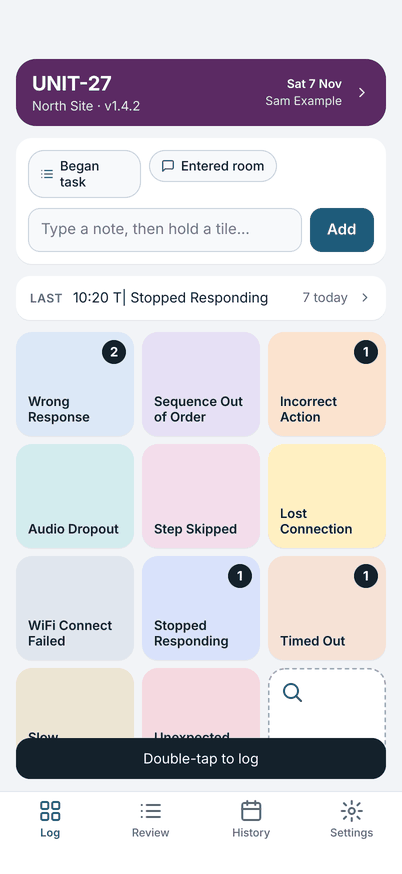
Log with a double-tap
Up to 11 error tiles and an Other tile, each with its own colour and a running count. A tap by accident logs nothing: one tap only shows a hint. Made a mistake? Undo takes it back.
Notes
Type a note, or hold a tile to log the error with one. Note templates cover what you write every day, such as which task you began. Where your phone can recognise speech on the phone, you can dictate a note.
The day's log
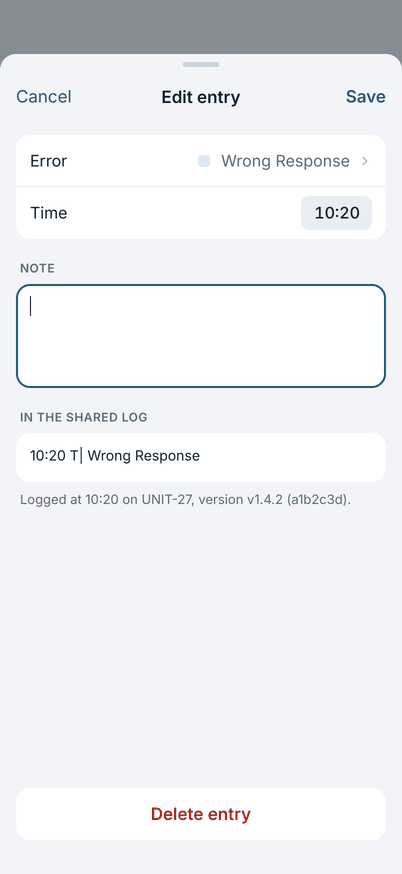
The log has a header with the tester, date, unit, location and software version. If the software changes during the day, that change is logged with its time, so the entries before it keep the old version.
Share as plain text
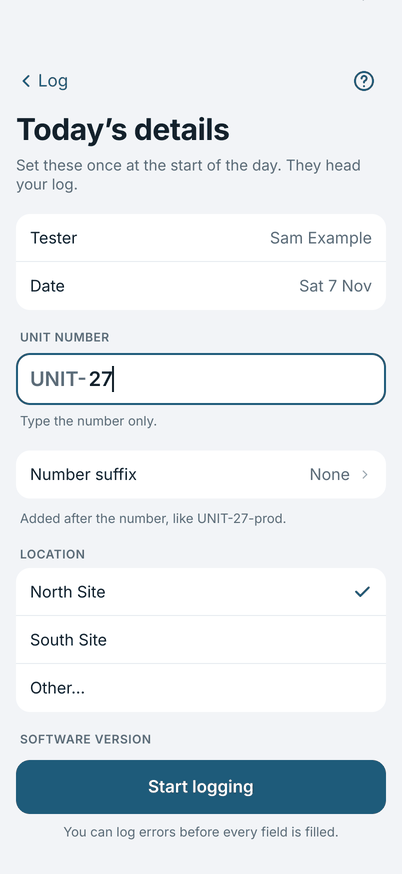
Each entry is one line: the time, a marker, the error and your note. The downstream ticket indexer reads the marker. You can change the marker in Settings if your tool expects something else. Share to a chat app, Mail, Files or the clipboard.
Review, edit, copy, delete
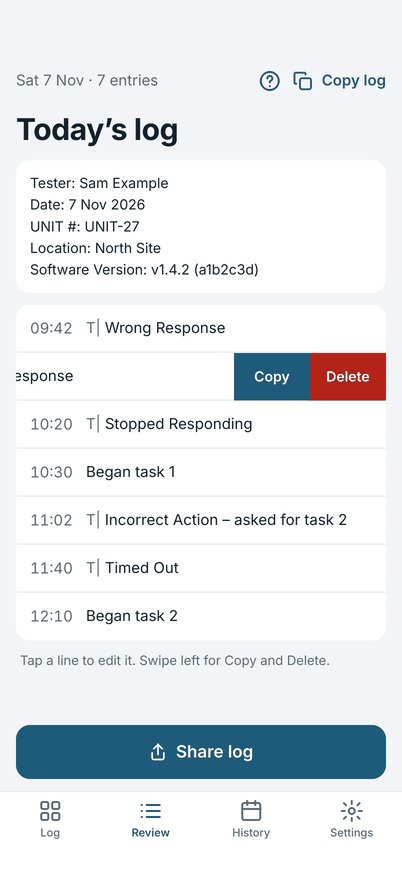
Open any entry in Review to change the error, the time or the note. Swipe left to copy or delete. Copy log copies the whole day.
History
Every earlier day stays on your device until you delete it. A log you changed after sharing says "Changed since sharing", so you know to send it again.
Note templates
A chip above the note field. Tap it, answer its question and the line in the log is written for you. The sheet shows how it will look first.
Observations (optional)
A second board for what you did as well as what went wrong. Off until you turn it on in Settings. A type can ask who was involved, from your own list of people.
Set up your way
Set up by hand, or import a file from a Mac or another device. Light and dark appearance, and larger text.
On iPad
In landscape the board and the log sit side by side.
What it does not do
Field Test does not sync, have accounts, show reports in a dashboard, or share anything by itself. It keeps one person's log on one device and shares it as text when you choose.