Sharing and the next day
Review
The Review tab is today's log, in the same words that you share, except that an observation shows the person's full name here and is shared at the level you choose (see below). It shows the header and every entry in time order.
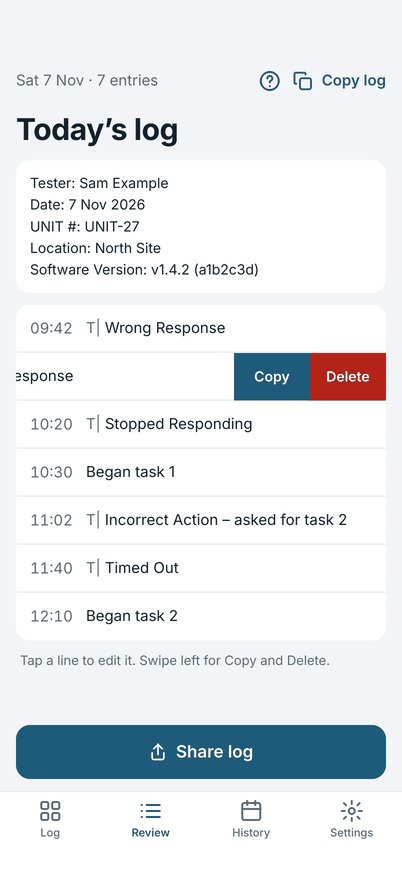
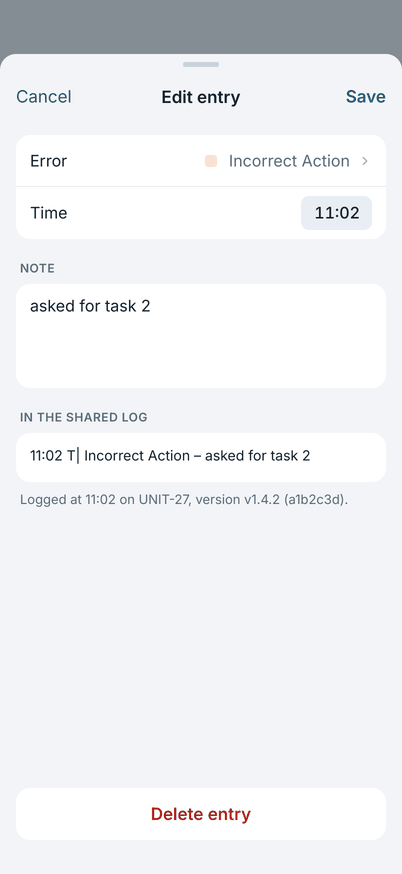
- Edit an entry: tap it. Change the error or note, the time, or the attached note, then tap Save. Cancel keeps it as it was.
- Copy or delete an entry: swipe it left for Copy and Delete.
- Copy log at the top copies the whole log.
Filter the entries
Under the header, Filter narrows the entries you see. It does not change the log.
- Kinds: tap Errors, Notes, Observations or Changes to see only those entries. Tap more than one to see either. Tap one again to turn it off. Observations is there when you use the second board or the log has one.
- Words: type in the field. Every word has to be in the entry. It ignores capital letters, accents and extra spaces,
so
cafefindsCafé. The time of an entry is not searched. - Both together show only the entries that match both. Clear shows every entry again, and the Filter row says how
many are shown, for example
Filter · 4 of 27.
Filtering only changes what Review shows. Copy log, Share log and Share log again always use the whole log, and the entry count at the top is the whole log's. Tap, swipe, Copy and Delete work on the entries you see. The filter is not saved: it clears when you leave the log, start a new one or close the app. A past log in History has the same filter.
Observations in Review
If you use the second board, an observation shows on its own line in the same words as the export, for example
Paired with Alex Sample, with the full name.
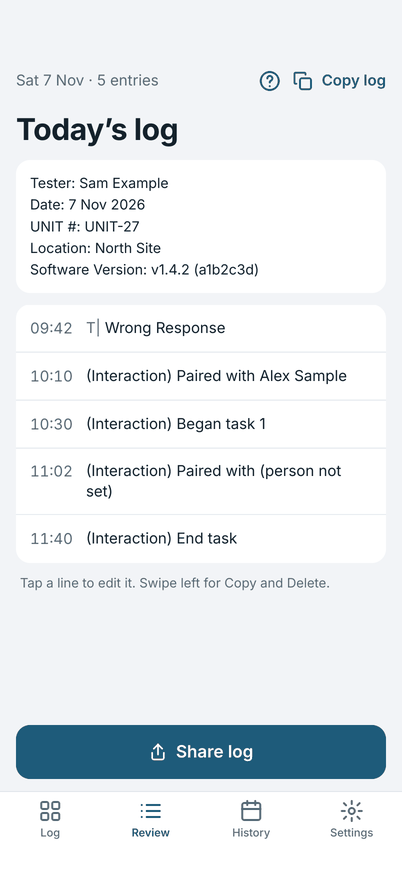
On the screen the name is always in full; what Copy log and Share log carry follows the name setting in Settings (initials by default). A person you have forgotten reads as someone. An observation that asks for a person but has none shows (person not set).
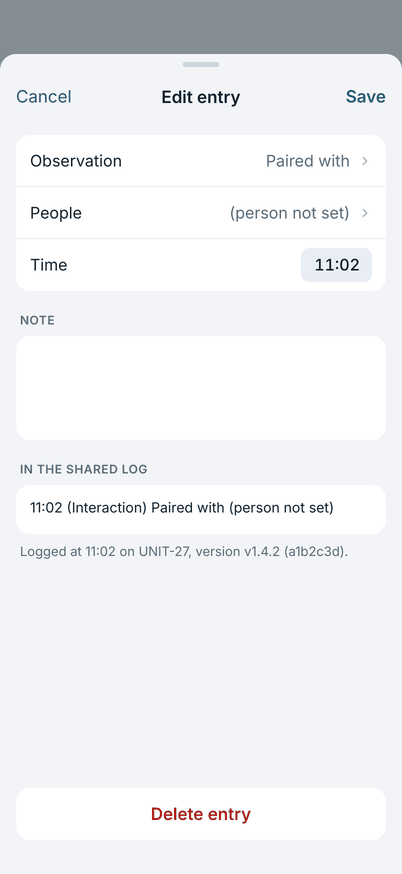
Tap an observation to open Edit entry. You can change the observation, the people, the answer, the time and the note. People opens the same picker as the board: tick or untick people, search, add a new person, or tick Everyone here; people who are retired or forgotten stay on the entry until you untick them. Save keeps the change and Cancel leaves the entry as it was; nothing is saved until you tap Save. This is also how you add the people to an entry you logged with Skip and left without a person. Swipe, Copy, Delete and Undo work as for an error.
Share the log
Tap Share log at the end of the day. The share sheet opens with the log as plain text, ready to post or send.
The log has a header (tester, date, unit, location, software version) and one line for each entry:
10:20 T| Stopped Responding
11:02 T| Incorrect Action – asked for task 2
An error line is the time, the error prefix T|, the error type, and then the note after a dash. The downstream ticket
indexer reads the T| marker, so do not change the lines after you share. A note on its own, with no error, is marked
(Free Text) instead. The prefix can be changed in Settings if your tool reads a different one.
If you use the second board, an observation is a line of its own, marked (Interaction) and with no T|, so the ticket
indexer does not read it:
10:12 (Interaction) Paired with A.S.
10:31 (Interaction) Began task 1
A person's name is written in a shared or copied log at the level you choose in Settings: initials (the default, A.S.),
the full name, or someone. Share, Copy and Copy log all use that choice, also for a log from an earlier day that
you share again. Review and the board always show the full name, because they never leave your phone. The list of people
itself is never exported, and the totals line counts errors only.
Only Share log marks a log as shared. Copying does not.
The next day
The first time you open the app on a later date, it offers to start a new log.
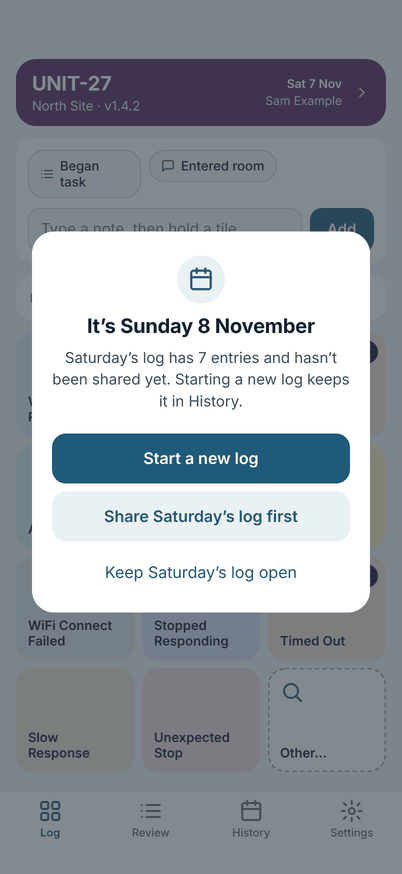
- Start a new log: today's log starts empty, and yesterday's stays in History.
- Share Saturday's log first: shown when the old log has not been shared, or has changed since it was.
- Keep Saturday's log open: carry on in the same log. This is for a session that runs past midnight.
Starting a new log never deletes anything. A log you did not share stays in History until you share or delete it.