Today's details
The purple card at the top of the Log screen shows the unit, place, software version, date and your name. Tap it to open Today's details. These fields head the log you share.
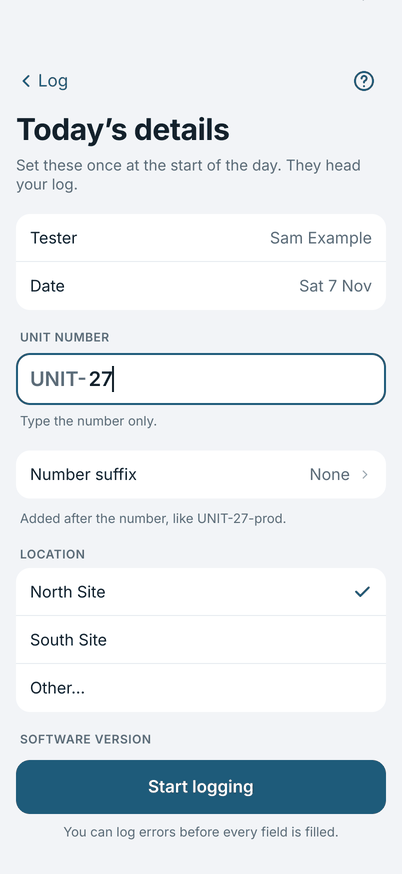
You can log errors before every field is filled in. While a field is empty the card says Not filled in yet and names it.
The fields
- Tester and Date are filled in for you. Change the name in Settings.
- Unit number: type the number only. The prefix from Settings is added for you, so
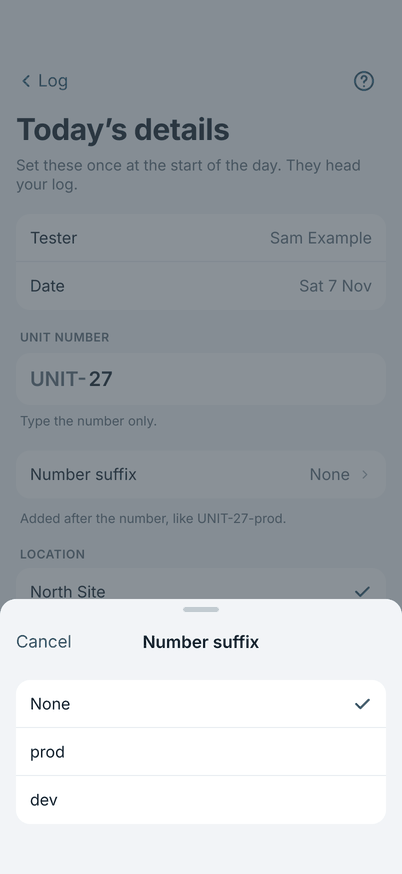
27shows asUNIT-27. - Number suffix: tap to choose a word that goes after the number, such as
prodordev, so27shows asUNIT-27-prod. You do not type it. None is the first choice. The rest come from Number suffixes in Settings. It is saved with the unit number. - Location: choose a place from your list, or Other… and type where you are.
- Software version: the version of the software under test. Type the numbers only, like
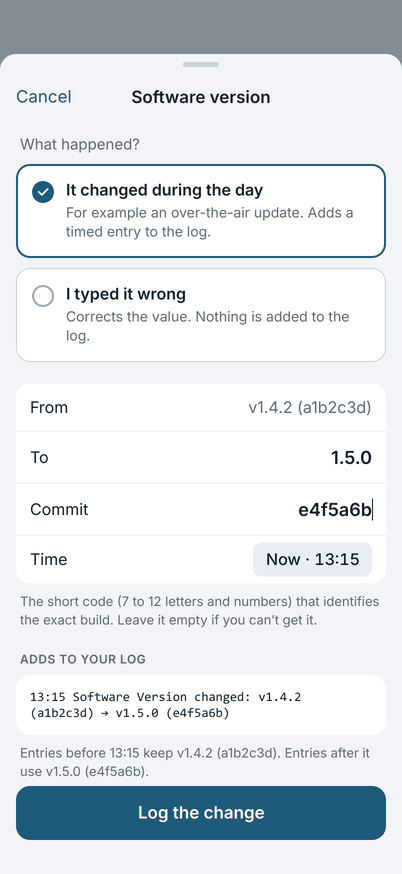
1.4.2: the field already shows the v, and the log printsv1.4.2. If you type a v yourself it is not doubled. - Commit: the short code (7 to 12 letters and numbers) that identifies the exact build. Leave it empty if you can't get it.
- Other versions: other software that matters to the log, such as a companion phone app. The row shows them in short, for example
Influencer v4.5.0, or None. Tap it to open a sheet: Add a version, give it a name and type its numbers, then tap Done. Remove a version with Remove this version. Every version is printed in the log under the main version, for exampleInfluencer Version: v4.5.0. A version you add stays on every new log until you remove it: the next day you only type its number, and until you do it shows asnot setin the row, in the log (Influencer Version: not set) and in the Not filled in yet strip. Changes made here correct the log; they do not add a line to it.
When the software version changes
If the software version changes during the day, for example an over-the-air update, change it in Today's details. The app asks What happened?
- It changed during the day: adds a timed entry to the log, so the entries before it keep the old version and the ones after it use the new one. You can set the time it changed.
- I typed it wrong: corrects the value. Nothing is added to the log.
Starting another log
At the bottom of Today's details, Start a new log for another unit or site keeps today's log in History and opens an empty one. Only the tester carries over. Use it when you move to another unit or site on the same day. A new day starts its own log (see Sharing and the next day).